Metallic Gold Paper Holiday Wreath

Gilded Holidays
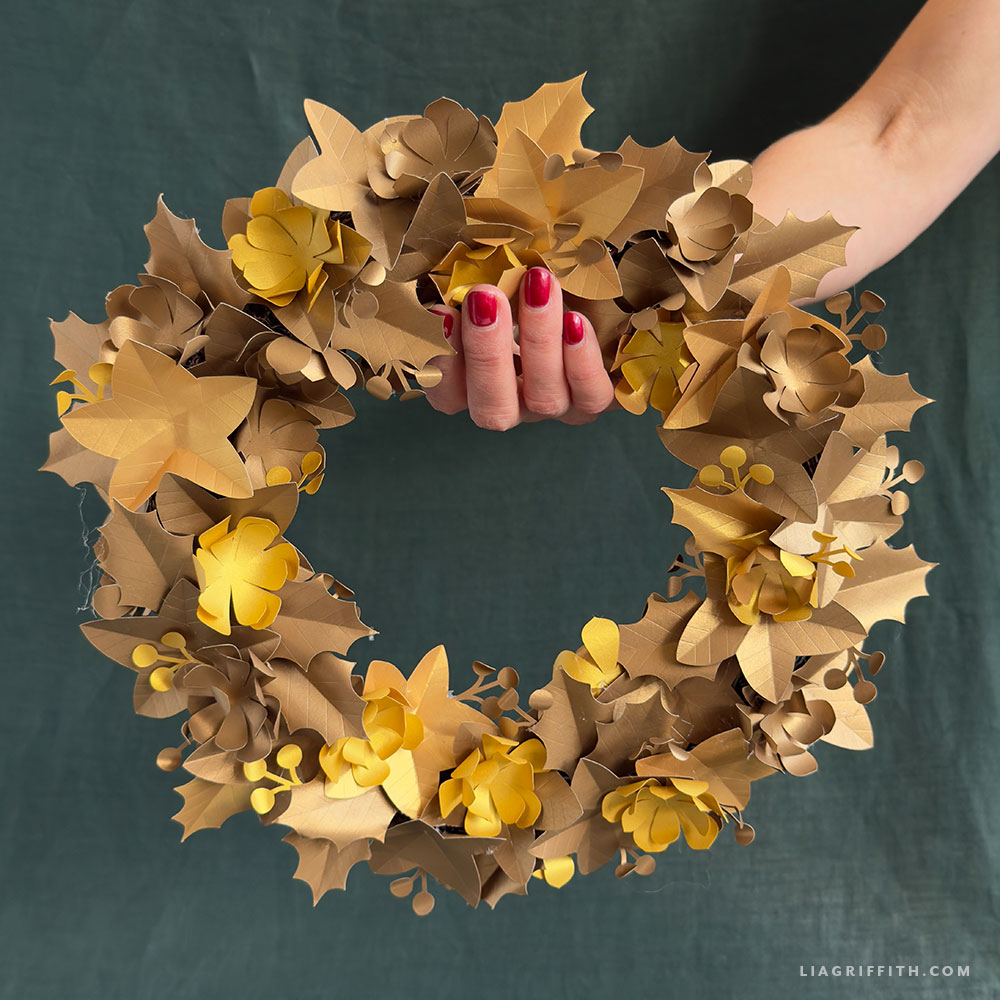
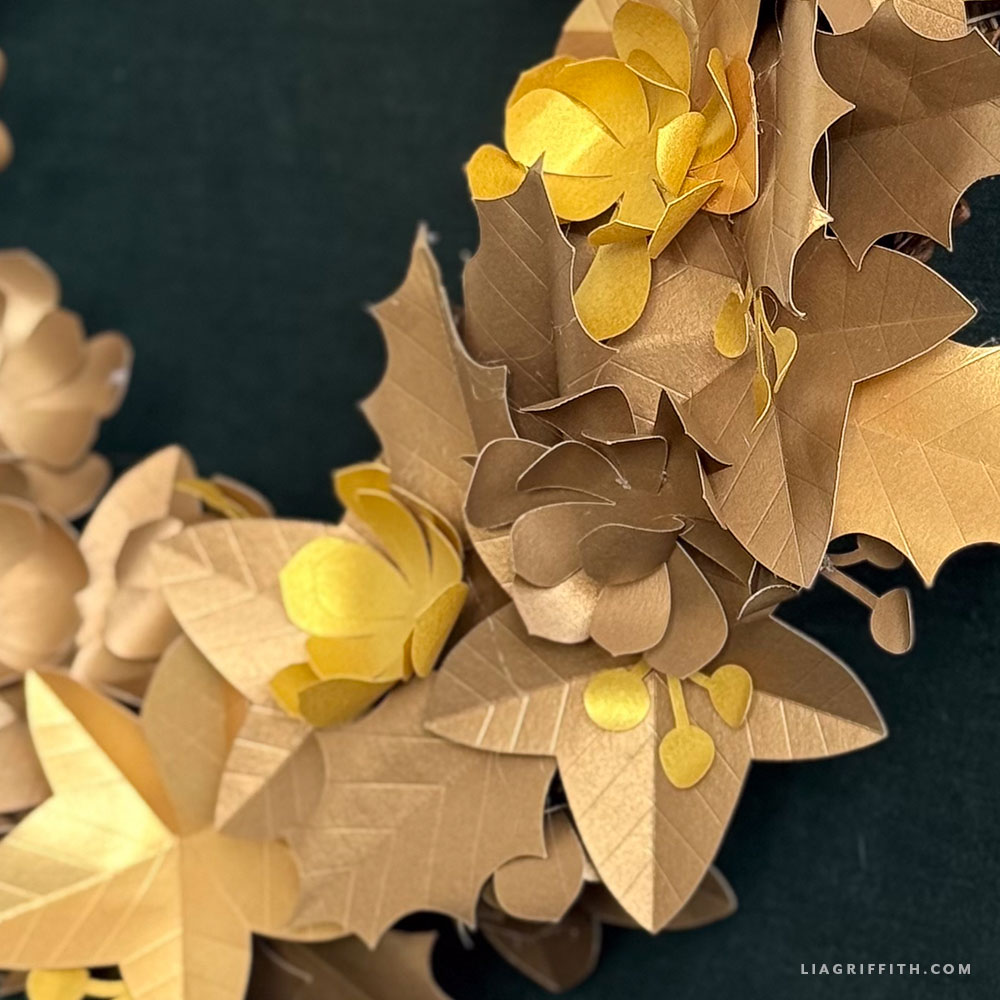
Universally timeless, simple, and elegant a good wreath can bring a room together and our Metallic Gold Paper Holiday Wreath brings a level of elegance that’s both modern and classic. Designed to be cut on your machine using our SVG files, this wreath layers ivy, holly, and even a few stylized succulents to create a beautifully textured piece that catches the light in all the right ways. It’s bold yet refined — the kind of décor that instantly elevates any wall, door, or mantel for the season.
Materials

Goodies You Can't Google
You've found a premium project. But for less than the price of a fancy coffee... You'll get instant access to this and over 2,000 other premium projects inside the Lia Griffith membership!
Become a Member

While this Metallic Gold Paper Holiday Wreath looks wonderfully polished, it’s surprisingly simple whenyour cutting machine does most of the heavy lifting. Simply load the SVG files, cut the pieces from metallic gold paper, and then start building your wreath leaf by leaf. The monochrome metal-inspired look is truly stunning, offering high style without the hassle.
That said, you can absolutely personalize this wreath to fit your holiday style. Though mine is made entirely from gold paper — which I adore for its chic, luxurious glow — you can craft yours in any palette you love. Try deep greens for a classic botanical look, winter whites for a frosted finish, or mix metallics for a bit of holiday glam. The beauty of this project is that no matter how you customize it, the layered design creates a gorgeous piece that reflects your creativity.
When you're all finished with your Metallic Gold Paper Holiday Wreath, displaying it is half the fun! Hang it on your front door to greet holiday guests. Or, use it as part of a centerpiece for your winter gatherings. It’s versatile, eye-catching, and sure to become a seasonal favorite.
We can't wait to see how you make this Metallic wreath your own! Share your creations on social media using the hashtag #MadeWithLia! Oh, and don’t forget to post in our crafters’ community to be inspiration to your fellow makers!

All the Goodies You Can't Google 🎁
Tired of scrolling endlessly for the perfect project? Save time, money, and Google-induced headaches with us! Our membership makes it easy to create beautifully finished crafts without needing to look all over the internet for ideas and materials or spend lots of money on individual videos and templates.
Become a Member
Discussion
Ask Lia or the community!
36 Comments
-

Rebecca
December 2, 2025 at 2:07am
-

Lia
December 2, 2025 at 9:02am
@Rebecca
-

Lauri
December 1, 2025 at 9:38pm
-

Lia
December 2, 2025 at 9:02am
@Lauri
-

tisabushatgmaildotcom
September 26, 2023 at 1:30pm
-

Lia
September 28, 2023 at 9:28am
@tisabushatgmaildotcom
-

Patricia
November 15, 2016 at 8:48pm
-

Lia
November 16, 2016 at 9:15am
@Patricia
-

Carolyn
December 29, 2015 at 6:52am
-

Lia
December 29, 2015 at 1:24pm
@Carolyn
-

Julie
November 7, 2015 at 3:36pm
-

Lia
November 9, 2015 at 2:08pm
@Julie
-

Judy
September 25, 2015 at 11:48am
-

Lia
September 25, 2015 at 1:10pm
@Judy
-

Amanda
February 22, 2015 at 2:17am
-

Lia
February 23, 2015 at 11:52am
@Amanda
-

Debbie
January 22, 2015 at 9:34am
-

Lia
January 22, 2015 at 1:24pm
@Debbie
-

Linda
December 19, 2014 at 6:17pm
-

Lia
December 20, 2014 at 7:43am
@Linda
-

Diana
November 25, 2014 at 12:53am
-

Lia
November 25, 2014 at 11:26am
@Diana
-

Mary
November 24, 2014 at 11:45pm
-

Lia
November 25, 2014 at 11:27am
@Mary
-

Tanya
November 24, 2014 at 10:20pm
-

Lia
November 25, 2014 at 11:27am
@Tanya
-

Neha
November 24, 2014 at 7:59pm
-

Lia
November 25, 2014 at 11:27am
@Neha
-

Lisa
November 24, 2014 at 7:39pm
-

Lia
November 25, 2014 at 11:28am
@Lisa
-

Liz
November 24, 2014 at 7:02pm
-

Lia
November 25, 2014 at 11:28am
@Liz
-

LindaSonia
November 24, 2014 at 6:24pm
-

Lia
November 24, 2014 at 6:30pm
@LindaSonia
-

Rhonda
November 24, 2014 at 6:13pm
-

Lia
November 24, 2014 at 6:32pm
@Rhonda
Leave a CommentTemplates and tutorials will not download for me. Thanks.
It should be working now.
When I click on the “Templates & Tutorial” link, it just takes me to a blank liagriffith.com page. Help, please. 🙂
Sorry about that. It is working now.
Hi Lia, This is a BEAUTIFUL wreath. However, I cam not seeing the (pink or any) score lines. I did not put a wreath on the door in awhile. I feel it is time… HELP!
This is an older project and design space now changes all lines to black, the score lines are there they are just hidden on the black leaves. We will update this file to make it easier to see those lines.
When I go to the top and hit the score feature, it is showing the score line all around the edges of the flower? Am I doing something wrong? thanks.
The only things that should score are the pink lines. You may need to ungroup the object to make sure the outline of the flower stays at “cut” and the lines inside are “score”.
Lia,
Santa brought me a cricut explore air and I am attempting the gold paper wreath. when I upload your SVG file is it to size and how do I get it to cut the amount of leaves and flowers that I need? I am using 12 x 12 paper. I did figure out the score vs. cut feature. So don’t feel totally inept.
Congratulations on your newest toy! I think you will enjoy it 🙂 For this project I cut out 40 ivy leaves, 40 holly leaves, 16 sets of flowers, and 30 holly berry cluster. Each shape is its own layer, so you can hide layers that you have already printed. You can start by cutting 16 copies of the entire file, then hide the flowers and cut 14 more sheets to get the rest of the holly berry clusters, then hide the holly clusters and cut 10 more sheets of the 2 leaves. Hope this helps!
No matter what I try and do, It seems the holly leaf is off center and won’t go under the score lines.
I don’t know if it’s just me.. But I can’t seem to get it to work no matter what I do! Anyone else have this problem?
Oh no, that’s no good! Make sure you are attaching your score layer to your cut line in the layers panel. Here are some links from the Cricut support page that might help:
http://us.cricut.com/home/support/design-space
http://content.cricut.com/b/pdfs/design-space-manual/13edesigntools.pdf
Good luck! -Lia 🙂
THANK YOU VERT MUCH LISA BLESS YOU JUDY
Glad you found it!!! Happy crafting:-)
How do you get around the weather….I’m so worried that if I put it outside it will get spoilt in the weather were experiencing is there a specific way to make them more suitable for all weathers etc?? Any thoughts would be greatly appreciated
Mine has done well so far. However it is hanging on my covered porch so it is somewhat protected. Probably would not hold up well if it was exposed to rain or snow. It is paper so there isn’t really aren’t any treatments to make it more suitable for all weather.
I just have to tell you how beautiful everything on your site is!! OMG I can hardly contain myself as I want to make each and every item. I just got the Explore for Christmas and am having so much fun creating. Thanks for being so generous with your designs!
Love to hear that!!!:)
Tryed to copy sag but would not let me. Is it something I can find on my explore? Thanks for sharing your site. Beautiful.
You will need to download the SVG and upload it into Design Space.
You create so much wonderful things!!!! This wreath is sooo amazing and full of athmosphere!! And your Metallic Paper Holly and Mistletoe Wreath is also a brilliant project. I don´t know which project I start for my x-mas decoration!… I love your creativity! Thanks for sharing!
You are too sweet. Thank you;-)
Dear Lia, all of your creations are one of a kind. Thank you for sharing your wonderful work of art!
You just made my day, thank you!
Thank you lia, i get so much inspiration from seeing what you do. Going to have a go at this, ms sis in law would love it. X
Have fun, hope your sis in law will love it;-)
Incredibly beautiful , :). Though I may have a hard time finding this beautiful muted golden shade in my city. I can imagine that this one will look equally amazing with green , red , yellow and brown paper.
I am sure it will, have fun!!
Thank you for sharing your lovely wreath! I must admit, my “cutting hand” began to get tired just looking at the size of the templates. Count me in as another fan of yours who would love a kit!
Working on it:)
Greetings from the Philippines!
I bless the day I found your website! It has reopened my creative side, and inspired me to try out some of your ideas, and with great success, too! It is just sad that some of the resources you have out there, are not available here, yet.
If you are thinking of spreading out to the Philippines, please give me a call. I will be more than eager to introduce you to the kindred spirits waiting for your expertise out here. I have encouraged some friends to like your facebook page.
Thank you for sharing your talent…you are a generous soul!
God bless you!
Thank you Liz! I would love to expand to the Philippines, you will definitely be the first one I would call!
You should get with someone and offer these paper designs you come up with as kits to the poor schlumps out here who don’t have Cricut machines and don’t have the hand stamina for cutting all the pieces…. This schlump would be first in line to buy ’em. 🙂
Haha! I love you!! I am in conversation right now with a company to do exactly that. Stay tuned. I will announce it loudly when it happens.
This is so pretty. Hmm, wonder if I could find paper even close to this at Michael’s. Although this would be pretty in any number of colors. Thank you so much for helping the rest of us craft such pretty things!
I have not seen that paper in Michaels but you may find something close. It seems their metallic paper is only one sided. But that may work too. 🙂
Back to the Top